

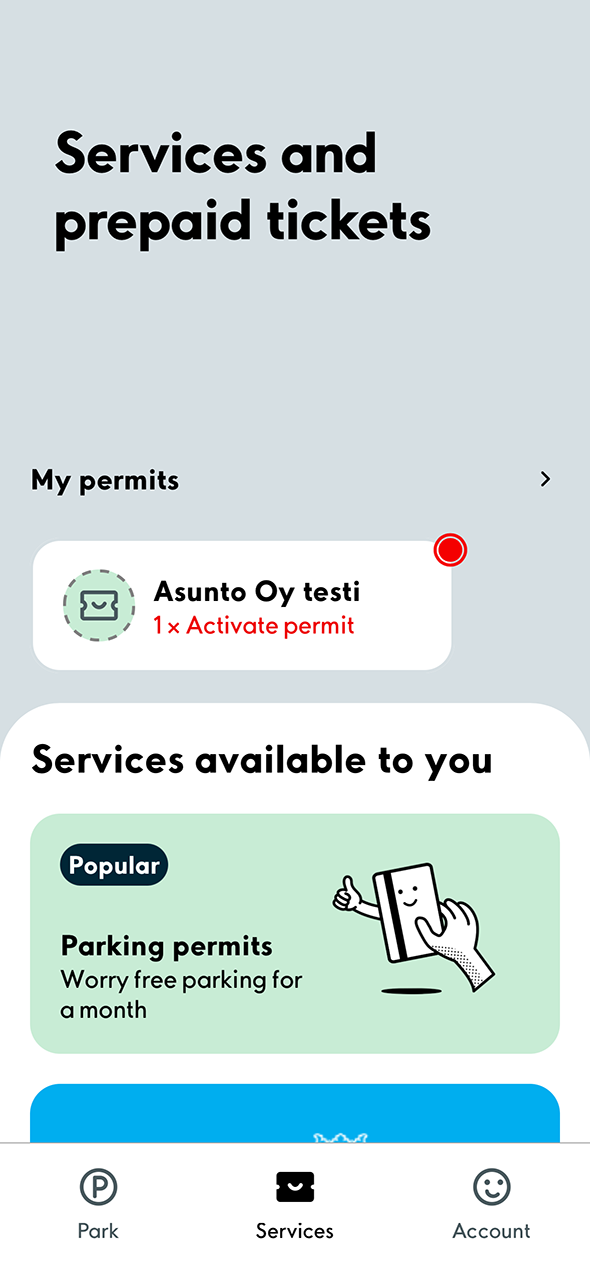
1. Select the Services tab at the bottom. Then select the permit that has not been activated.
Do you need help installing or using the app?
Click here for instructions.
Click here for instructions.
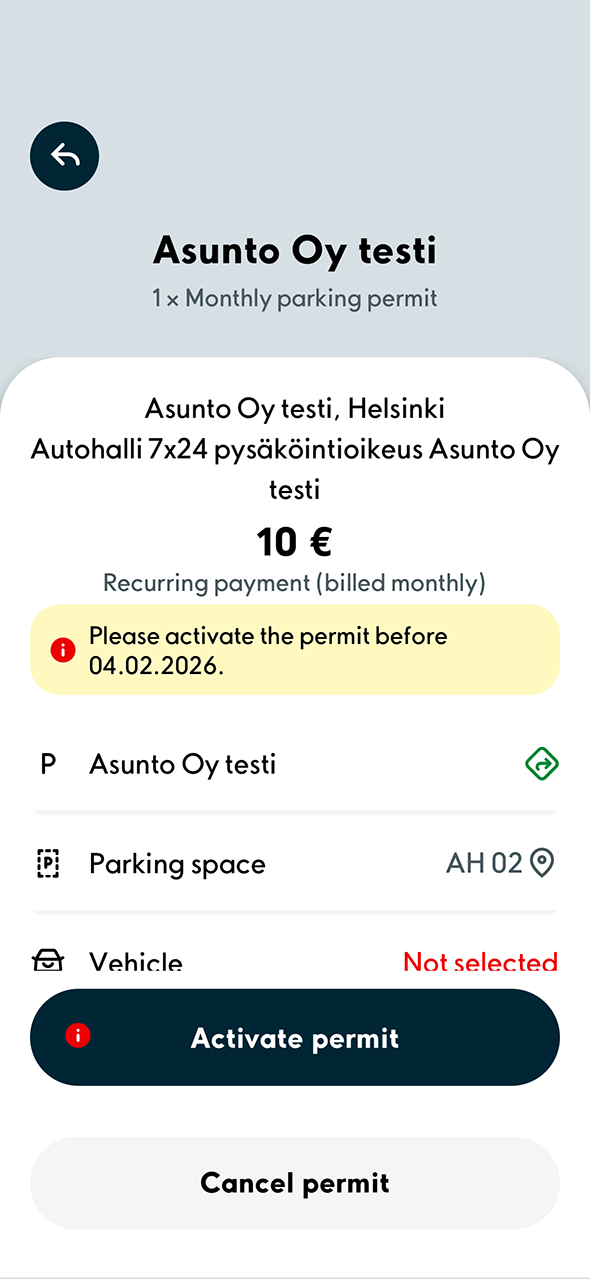
2. Check that the information on the permit is correct and select Activate permit.
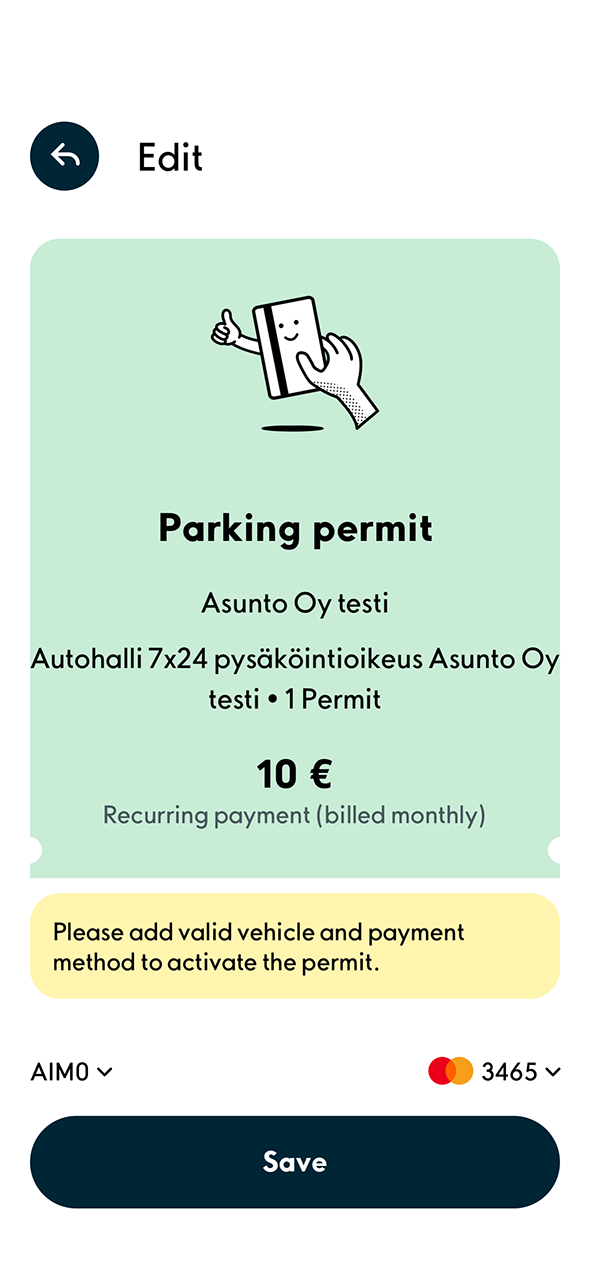
3. Select a vehicle and payment card. Then select Save.
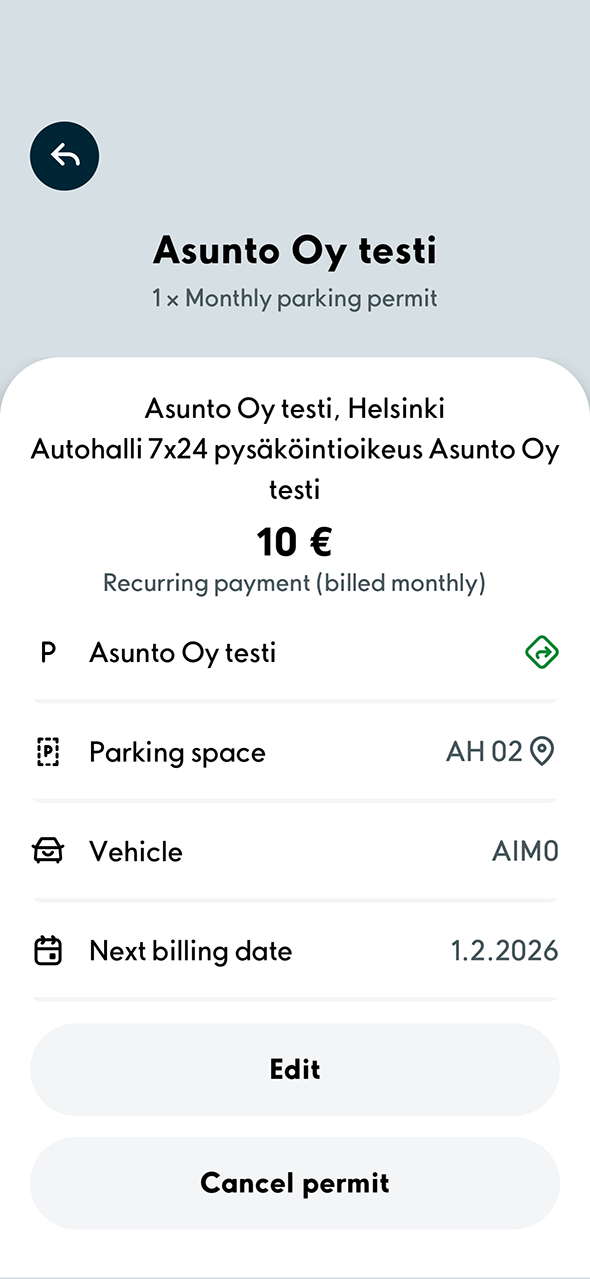
4. When you see this view, the permit has been successfully purchased.
Additional tip
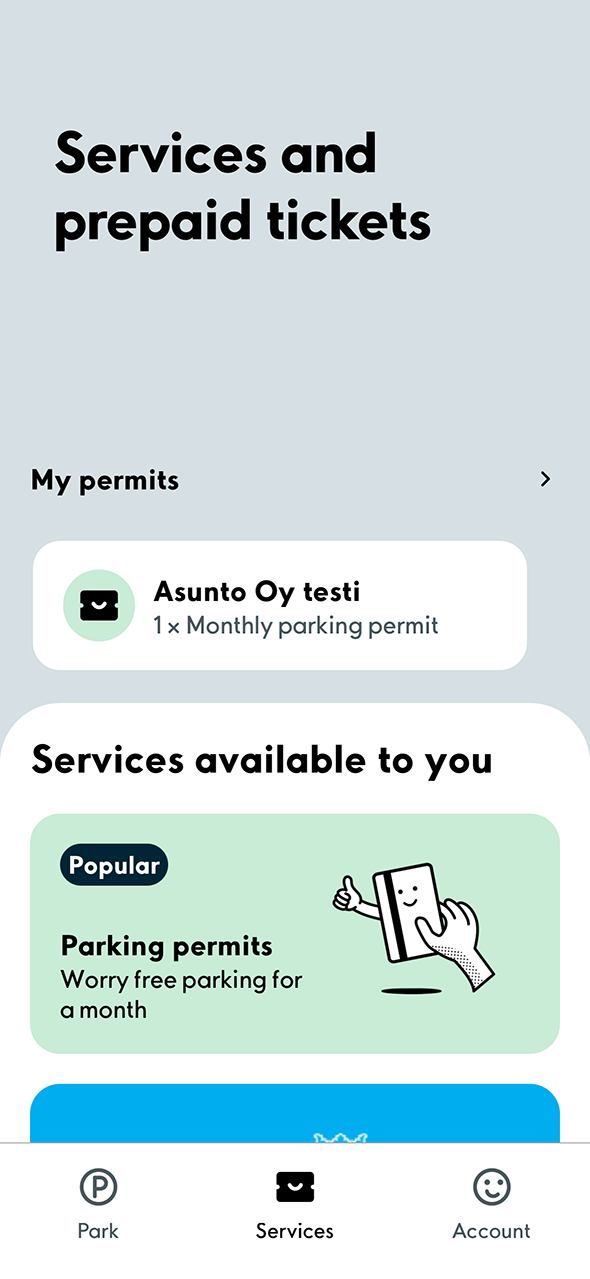
1. Your valid permits are displayed on the Services tab after the transaction. To make changes to the permit you purchased, select the permit in the My permits section.
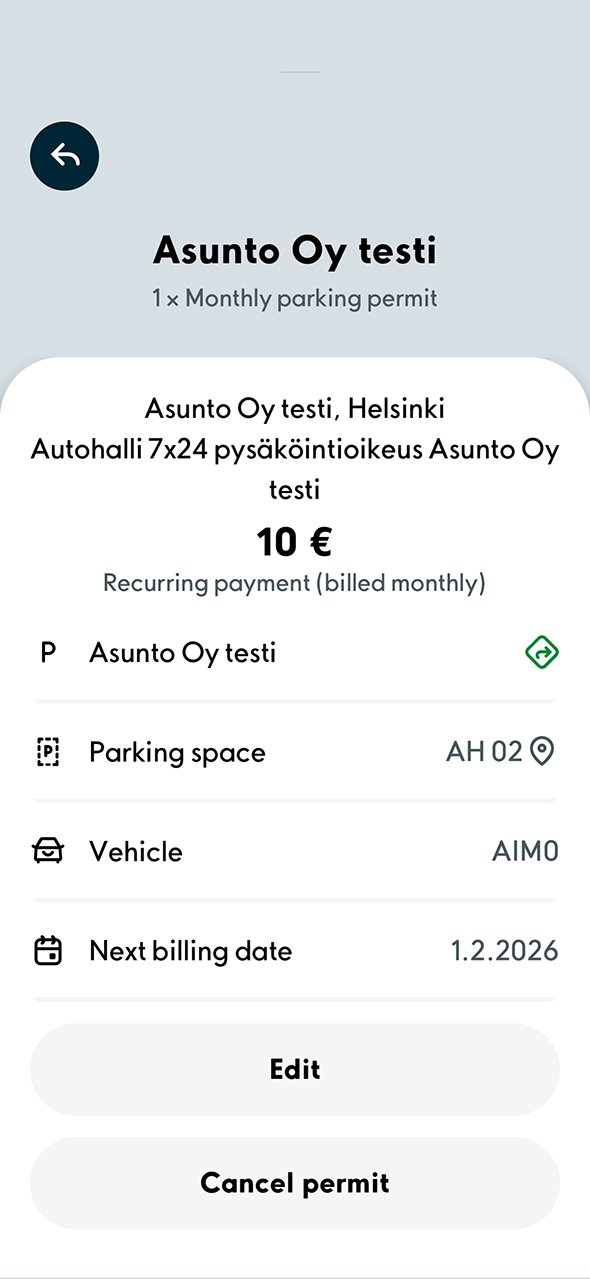
2. You can change the vehicle or payment card by selecting Edit permit. If you want to cancel the permit entirely, select Cancel permit.
