
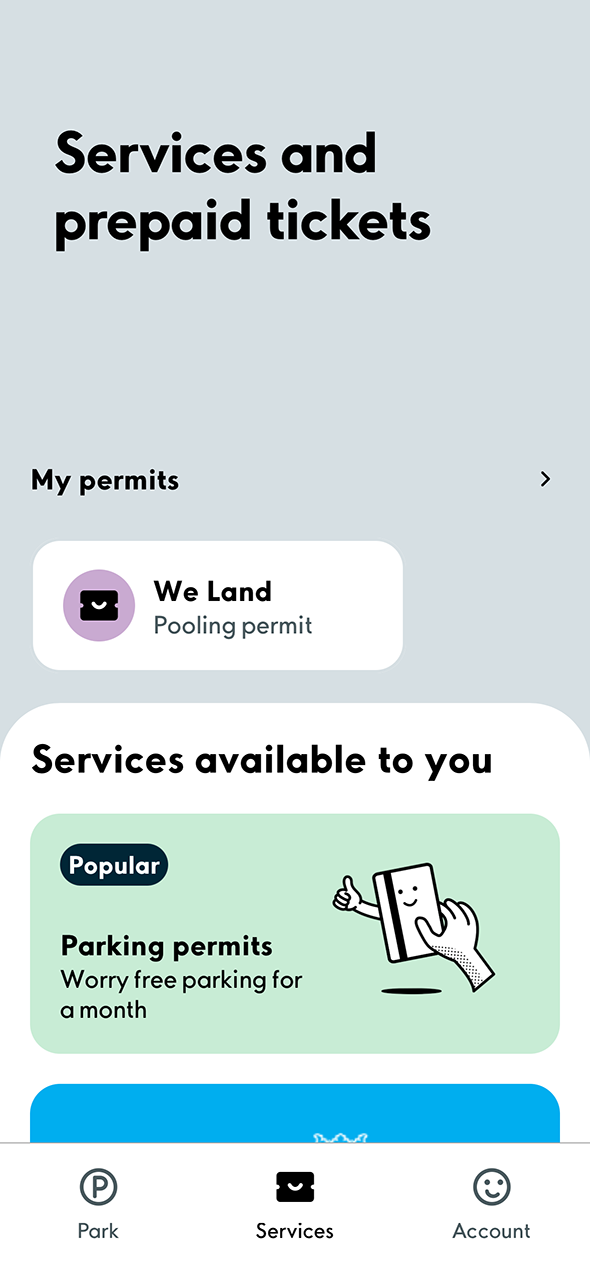
1. First select the Services tab at the bottom to view your permits. Then select Pooling permit in the My permits section.
Do you need help installing or using the app?
Click here for instructions.
Click here for instructions.
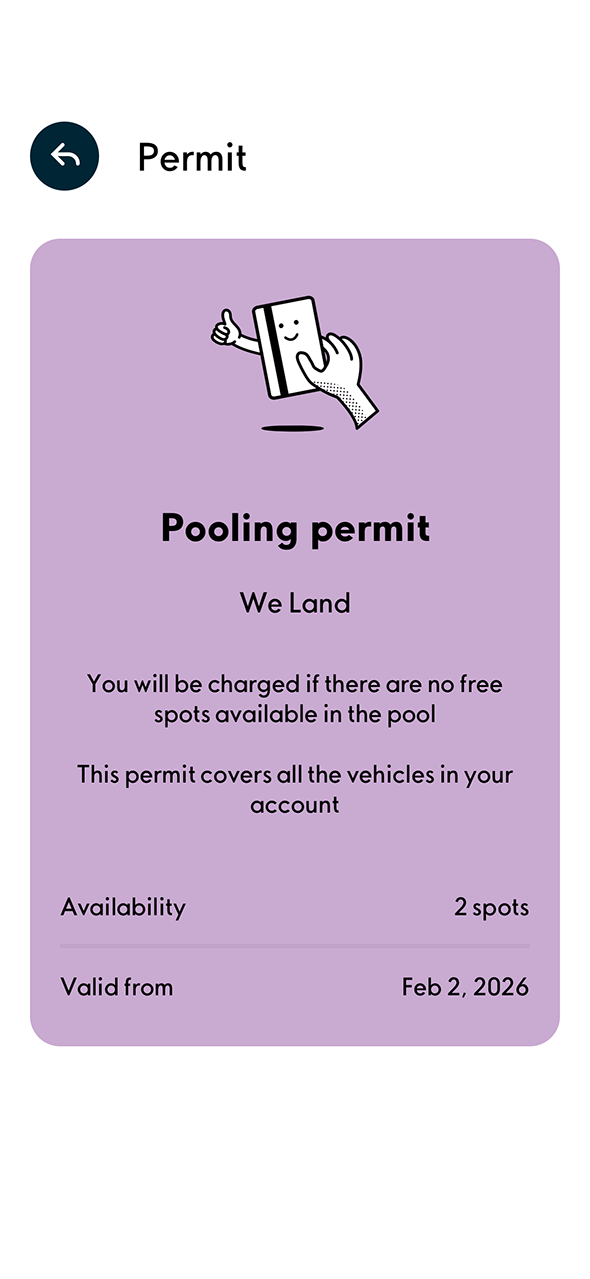
2. Check the details of your licence.
Please make sure that you have added a vehicle to your account and enabled the camera recognition that activates parking automatically.
Account > My vehicles > (Camera parking)
You need to have added a payment card to activate camera recognition.
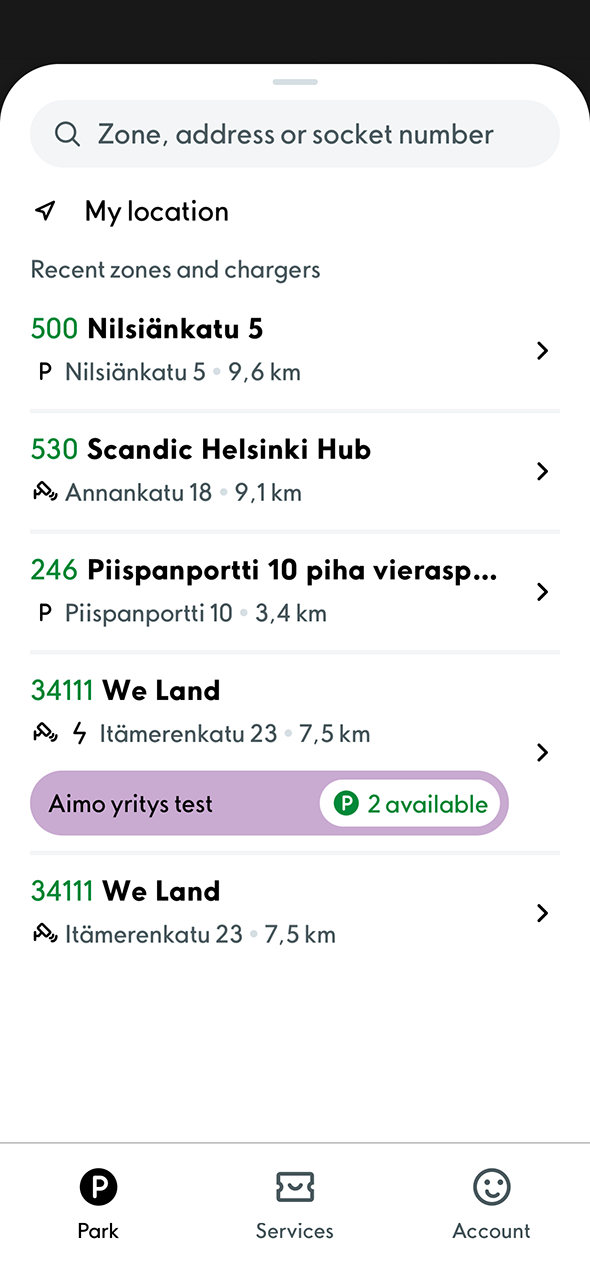
3. You can now park at the location.
You can see the available spaces in real time by searching for a parking area in the map view by address or area code.
Please note that once a location’s quota is full, it is no longer possible to park there.
